

Booking-ready presentation
Show format, proof, repertoire, contact, and calendar signals in one shareable place.
Aulea Launch Path for Musicians
In the first 10-20 minutes, Aulea can move you from account setup to a real public result: a page, a shareable link, and a clear next booking step.
Aulea is invitation-only during the pilot. Write to us — we will set up your profile and send you a personal invite link, usually within a day.
Live proof for the Swiss pilot
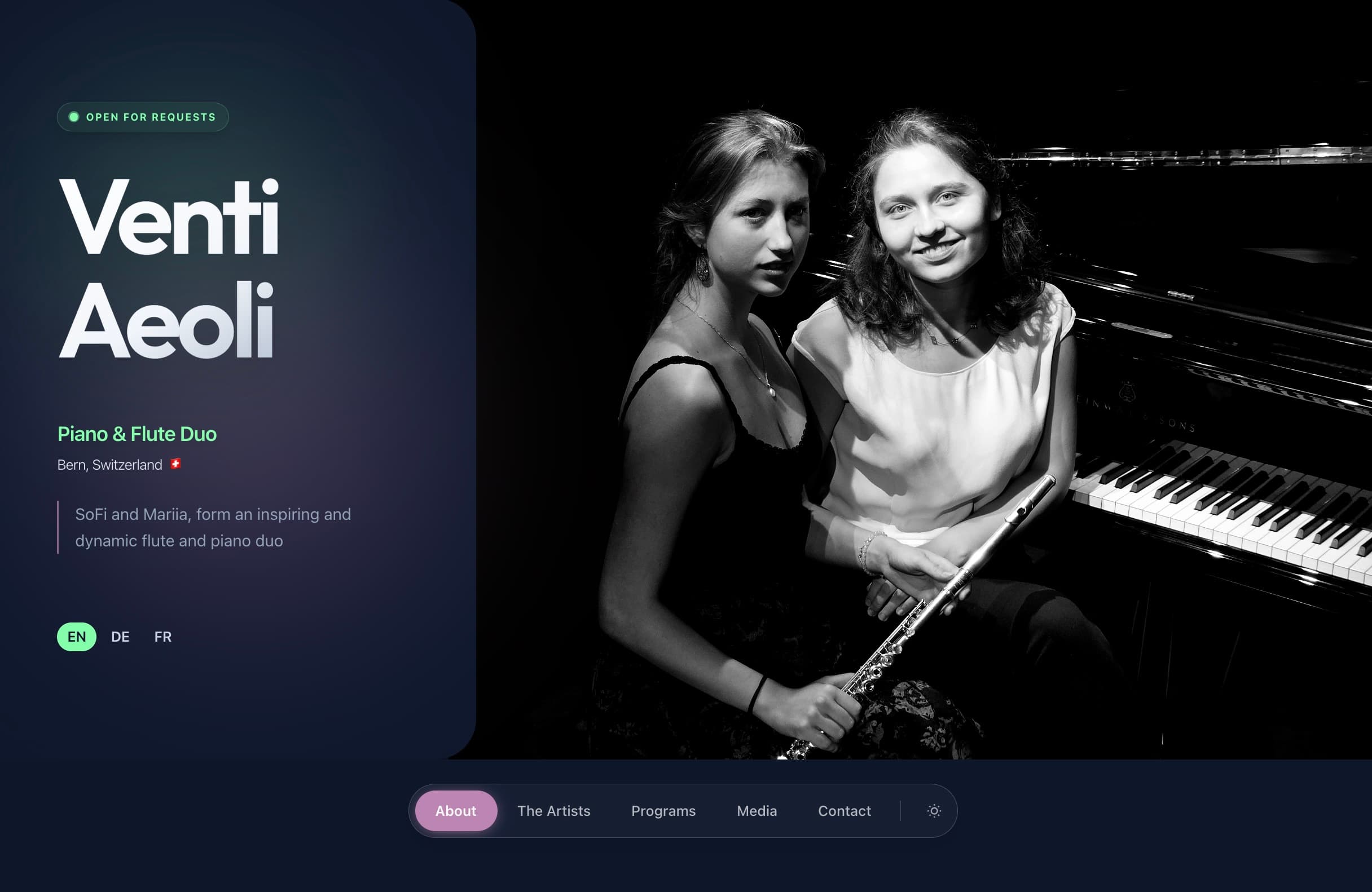
Built around real Aulea examples: Venti Aeoli as the main dark-theme walkthrough and Duo Wisteria as the light-theme proof.
Why Aulea?
Aulea is not only a page builder. It helps turn a project into a public booking surface with proof, contact, calendar context, and a direct request path.
Show format, proof, repertoire, contact, and calendar signals in one shareable place.
Send a public project link that venues, hotels, festivals, and cultural spaces can open without an account.
A completed public project can be shown alongside other Aulea projects, so artists see how a venue-facing shelf works.
Built-in databases
Aulea keeps project publishing close to the places you search next: venue leads, open calls, grants, and masterclasses.
Find stages and cultural spaces that fit your project before writing the first request.
Keep open calls near the project pitch, proof, and follow-up workflow.
Use funding sources as part of the same launch plan instead of a separate spreadsheet.
Track learning and showcase opportunities when they support the artistic path.
Project / Ensemble path
Keep the first pass tight: add the essentials, upload a cover, translate, turn on the public languages you need, publish, then create the first event.
Open Creator and start a fresh project workspace.
Outcome
You get a working base for a public page, calendar, and inbox.
Fill the title, short public description, city, contact email, upload a cover image, and choose whether light or dark should be the default public theme.
Outcome
You get a readable first version with a real visual anchor.
Use AI to prepare EN or DE copy, review and approve it, then enable the public languages you want visitors to switch between.
Outcome
You get Swiss-ready multilingual presentation with the right language tabs turned on.
Turn the page public and review the result as a real public surface.
Outcome
You get a public link that is ready to send.
Open the calendar or use "Edit availability + add event" in project edit. Add a Hold or Confirmed event so presenters see real activity, not just a static page.
Outcome
You get a calendar signal that makes the project feel active and booking-ready.
Make your personal profile public and keep one mobile-first link ready for social sharing.
Outcome
You get a personal share surface alongside the project page.
Pick venues or opportunities and use Draft Email to start structured outreach.
Outcome
You get a repeatable outbound workflow instead of scattered messages.
Keep replies, holds, and next actions in one place once outreach starts working.
Outcome
You get one booking thread instead of losing context across channels.
Start here, deepen later
Get the project public, switch on the right languages, and create the first calendar signal first. Once that core is live, add richer proof materials only when they strengthen the pitch.
Add next when it helps the pitch
Solo musician path
The solo path makes your personal public surface useful first. A project comes next only when you need a deeper booking layer.
Add your stage name, role, city, avatar, and public visibility.
Outcome
You get a clear professional identity inside Aulea.
Check the mobile-first link surface you can reuse in socials and direct messages.
Outcome
You get one clean personal link to share fast.
Fill About + Achievements and make sure there is a visible public contact route when you want the profile to feel complete.
Outcome
You get a personal public card that is more credible and more useful to share.
When you need repertoire, a project page, a booking calendar, or outbound workflow, open a project next.
Outcome
You move from identity-first sharing to a booking-ready project surface without rebuilding your profile.
This page is meant for demos and outreach, so it stays grounded in live Aulea surfaces instead of fabricated mockups.
Use the dark public project as the main create → translate → publish story.
Use the light public project to show that musicians can keep the same workflow and choose a different default visual mood.
Add one real public artist page here to make the profile → Tap Link path concrete.
Two public themes, one workflow
A musician can keep the same publishing flow and decide whether light or dark becomes the default public theme.
Not just an account. A public page, a shareable link, a first calendar signal, and a clear next outreach action.
Aulea is invitation-only during the pilot. Write to us — we will set up your profile and send you a personal invite link, usually within a day.
Minimum publish checklist